
Network Map Altice One
Role: Senior UI Designer
Company: Altice
Context
Altice’s Onebox combined a set-top box for TV service with a built-in modem/router for internet. While the Optimum website previously offered a network map for older routers, this functionality was missing from the Onebox UI. The goal of this project was to design a network map inside the Onebox settings that gave users clear visibility into their connected devices and network details.


My Contribution
As the Senior UI Designer, I translated complex network data into an experience that fit seamlessly within the Onebox interface. You can see the original site in the slider to the left:
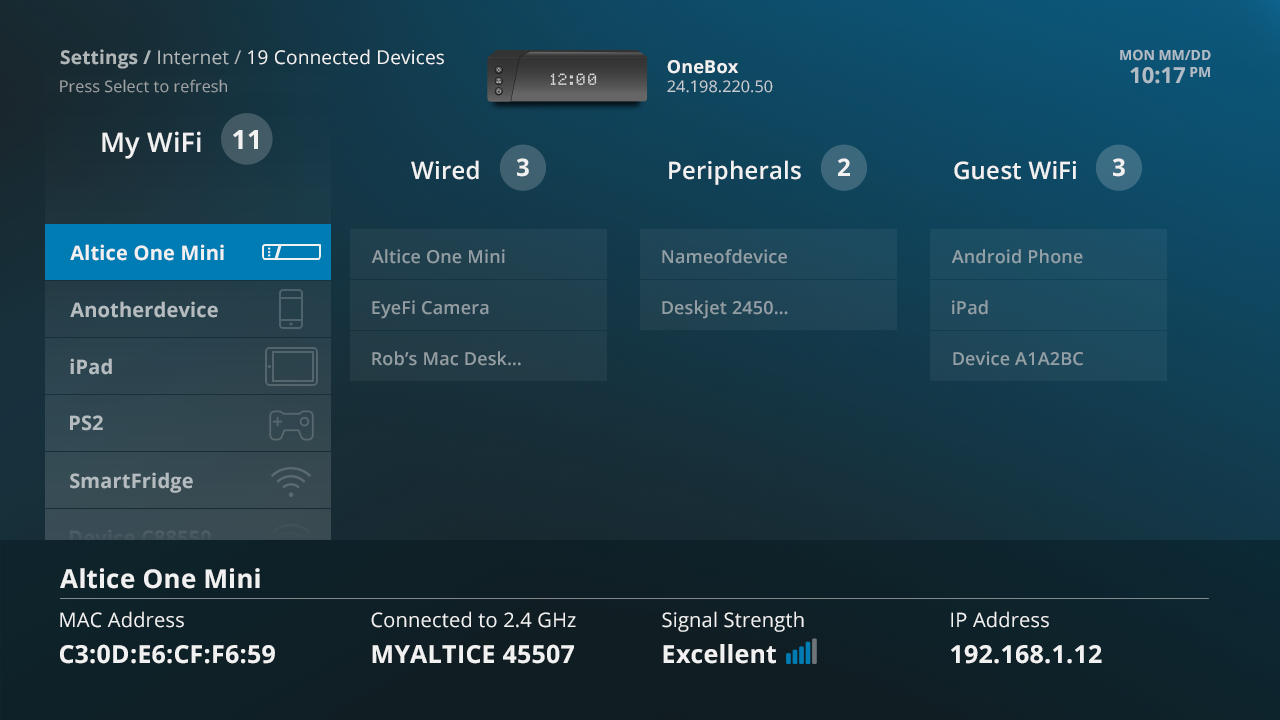
- Device Connectivity Overview: Designed a visual map showing the number of connected devices by type — WiFi, wired, peripherals (USB), and guest WiFi.
- Router & Extender Info: Displayed which device the user was on (Onebox or Mini extender), along with its MAC address, WiFi band, signal strength, and internal network IP.
- User-Friendly Data Presentation: Adapted all technical details from the website version into a layout consistent with Onebox’s TV UI, making it easier for everyday users to scan.
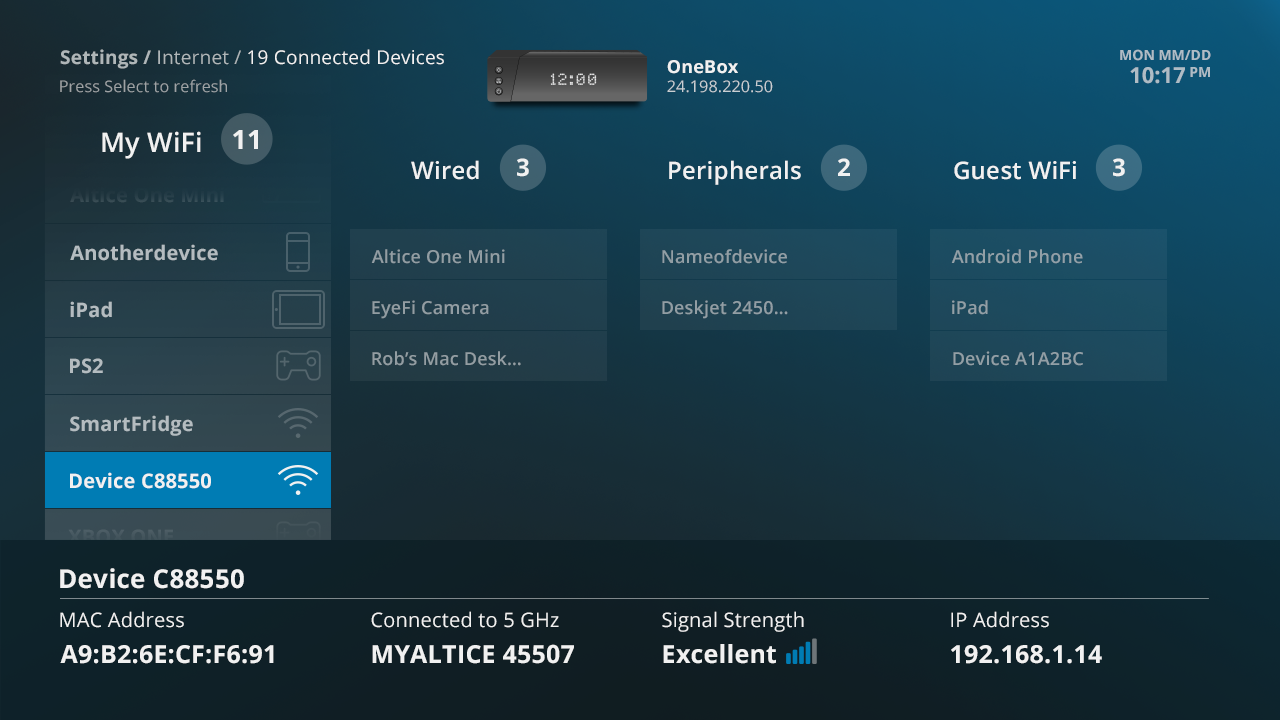
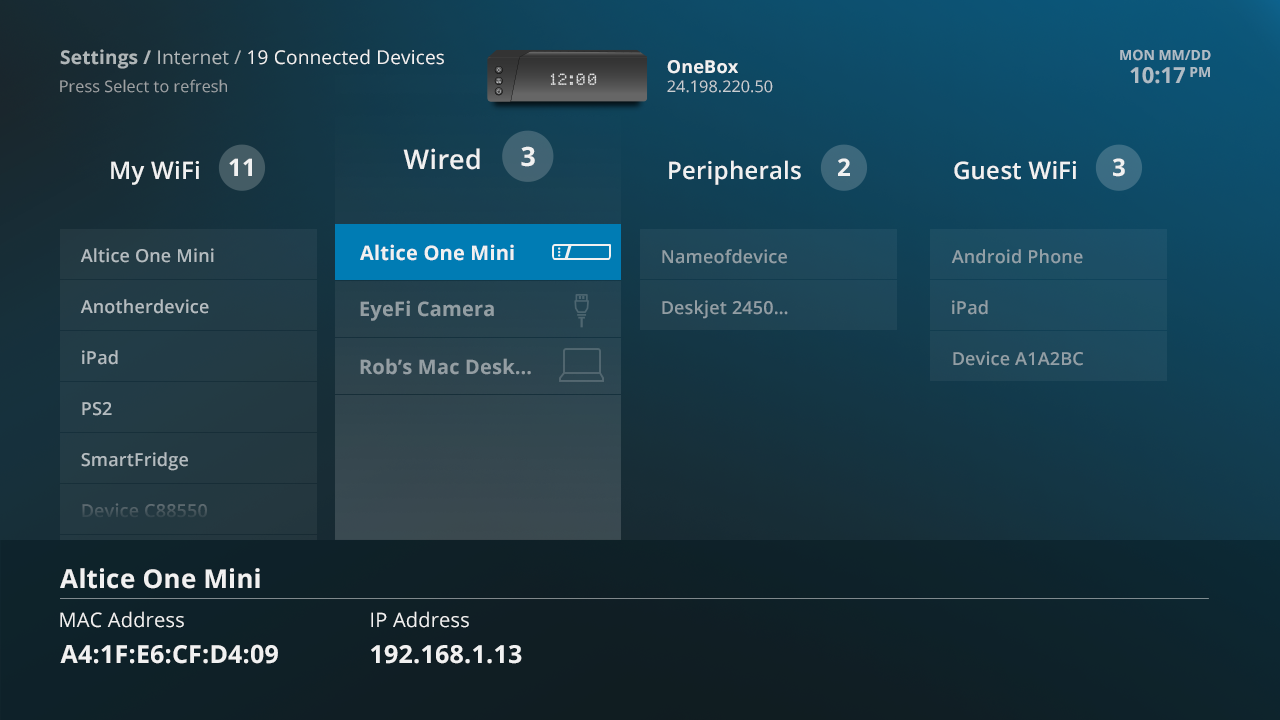
- Interactive Focus: Implemented zoom-in behavior and blue highlighting to reinforce which section of the map the user was interacting with.
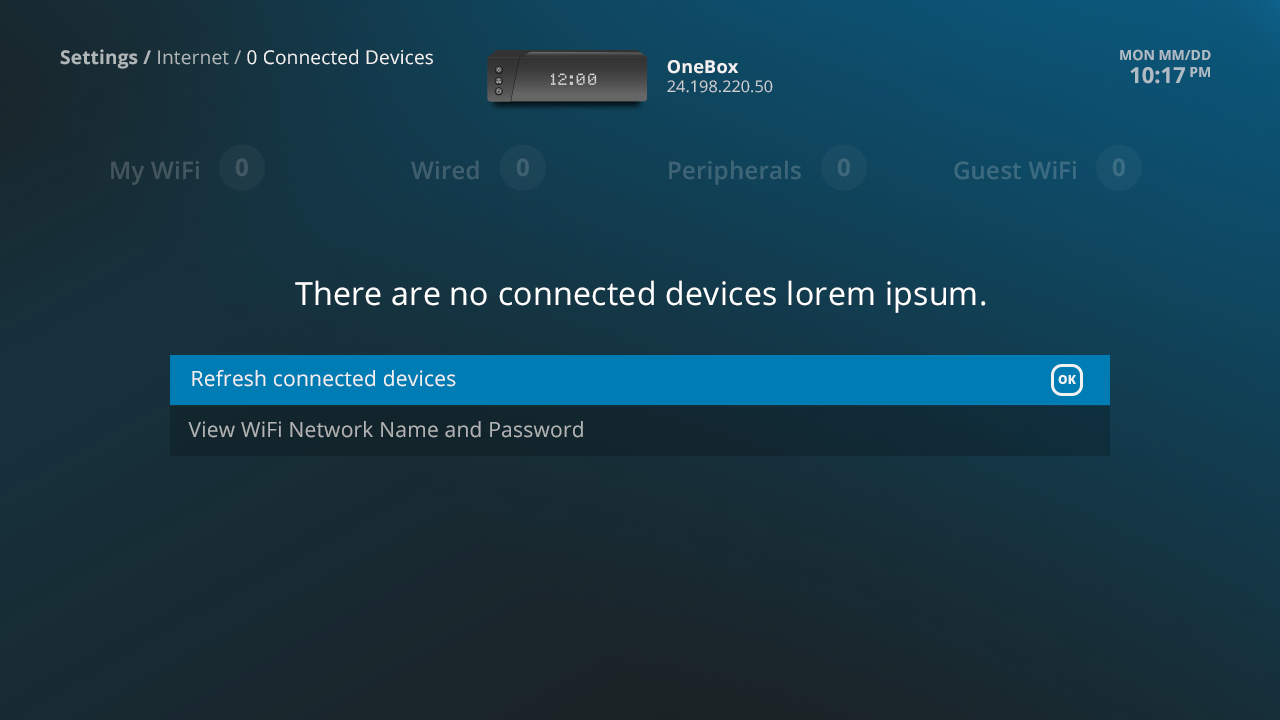
- No Devices Connected: A clear message lets the user know that there are no devices currently connected to their Onebox network. It then gives the user 2 other options. Refresh the list, or View the WiFi Network Name and Password.
Outcome
The new Network Map gave Onebox users a simple, visual way to understand their home network directly from their TV. By consolidating device connections, extender details, and network information into a clean interface, the feature improved transparency and self-service, reducing reliance on external support.