

Ting Meal Planner
Role: Product Owner, Product Designer, UX/UI Designer, Flutter Developer
Project Type: Personal Product, Mobile App, MVP Beta
Platform: iOS and Android
Context
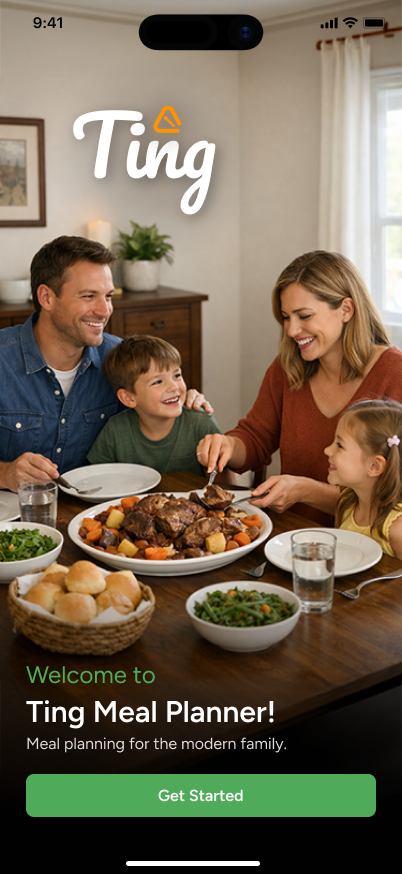
Ting Meal Planner started with a real problem at home. My wife shared how mentally draining it was to constantly figure out what to cook, especially while balancing groceries, schedules, and meals for our family.
My first solution was a three week spreadsheet that tracked breakfast, snacks, lunch, and dinner, including separate meal needs for our toddler. The spreadsheet helped, but it also showed me there was a better product opportunity.
Existing meal planning apps either felt too complex or locked the workflow I wanted behind a rigid subscription model. I wanted to create a cleaner, more approachable meal planning app that helped users plan meals, shop smarter, and cook with less friction.
My Role
This was a full product ownership project. I handled the product thinking, UX design, UI design, design system, Flutter development, requirements documentation, and beta preparation.
I also used the project as a way to deepen my understanding of how design systems connect to front end code and to sharpen my native mobile product design skills.
From Spreadsheet to Mobile Product
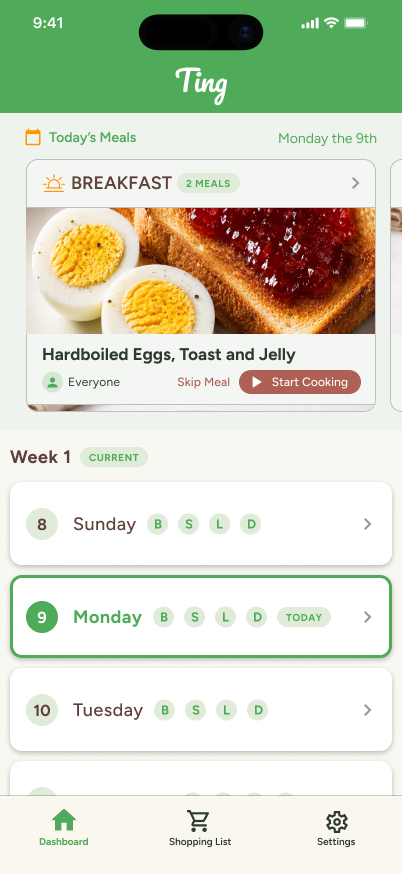
The first version of the app was intentionally simple. It included a basic dashboard with meal cards and week controls, but I realized the app needed more structure before sending users into the main experience.
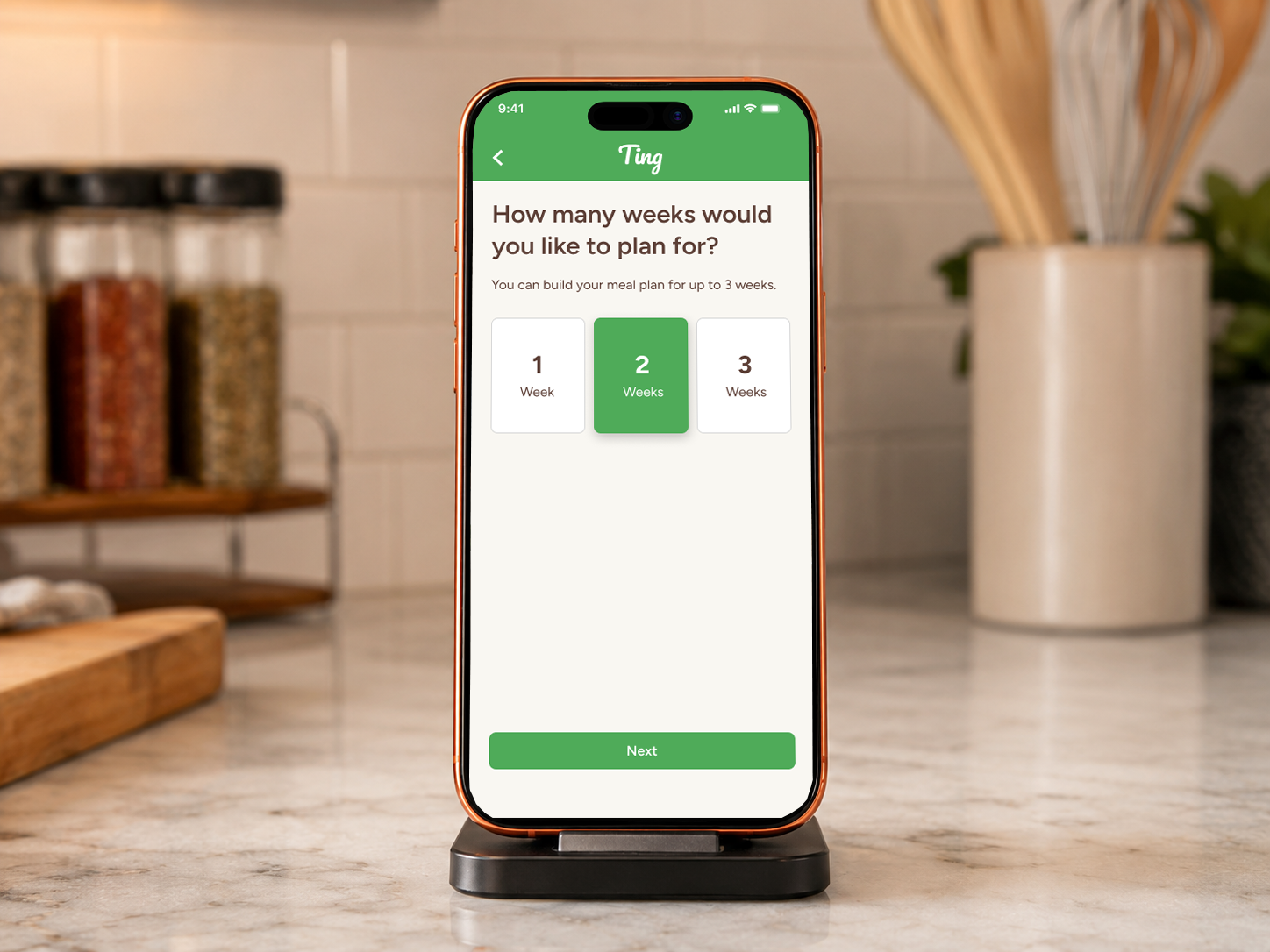
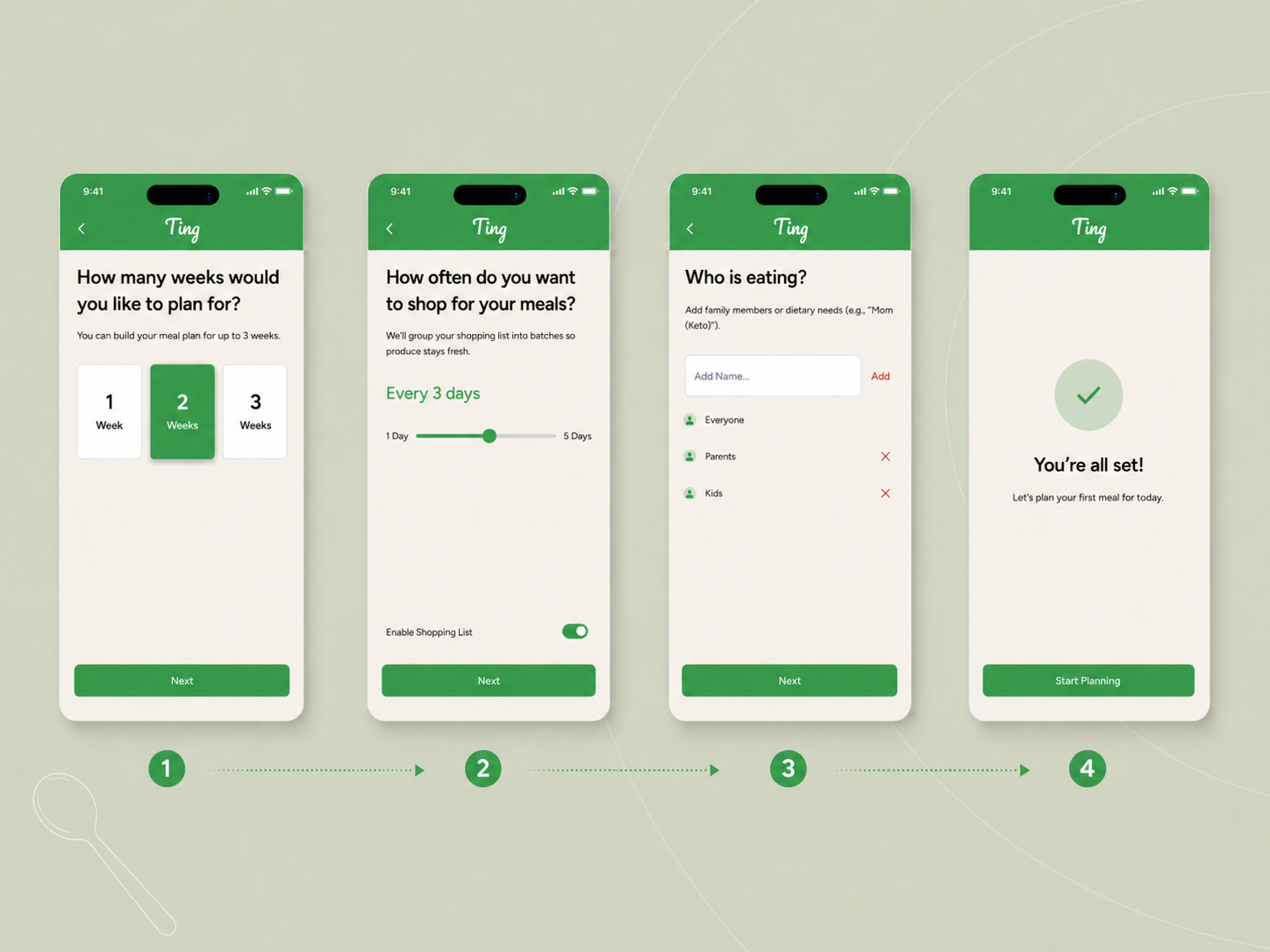
That led me to design a three step onboarding flow:
- Choose how many weeks to plan
- Choose how many days ahead to shop for
- Set up household profiles for different meal needs
This moved important setup decisions out of the dashboard and gave the app a clearer first time experience.
Key UX Decisions
Mobile First Navigation Structure
From early development and testing, I prioritized a navigation pattern that supports comfortable one handed use on mobile devices. I introduced a bottom tab bar with Dashboard, Shopping List, and Settings to keep primary actions within easy reach.
Shopping List Experience
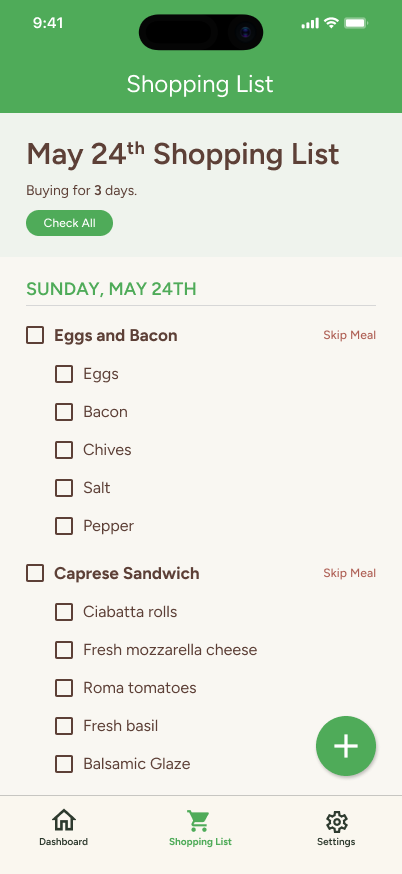
The shopping list became a core part of the product because planning meals is only useful if users can easily translate those plans into what they need to buy.
I designed an educational empty state, custom list items, and alert controls so users could manage grocery and non grocery needs in one place.
Guided Cooking Flow
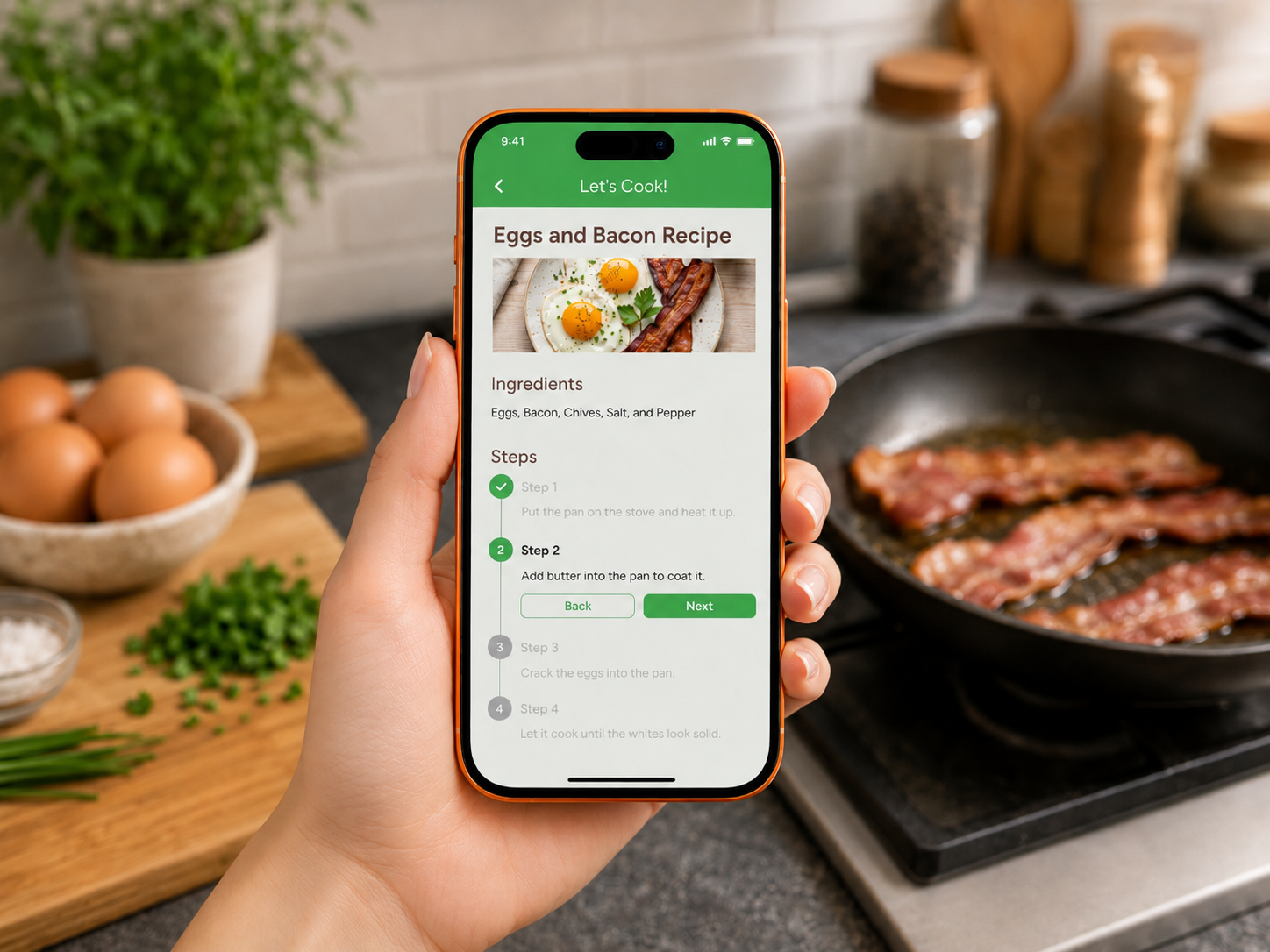
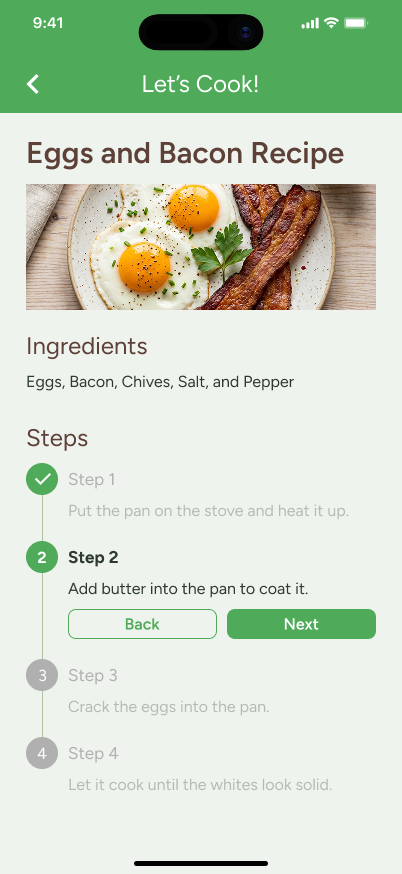
To make the MVP more valuable, I added a “Start Cooking” feature. When a meal includes steps or a recipe link, users can launch a focused cooking mode.
The cooking interface highlights the current step, checks off completed steps, and visually reduces completed content so the user can stay focused while cooking.
Design System and Development
I built the app in Flutter so it could support both iOS and Android from one codebase. Flutter also gave me more control over visual execution, which made it a strong fit for a design focused mobile app.
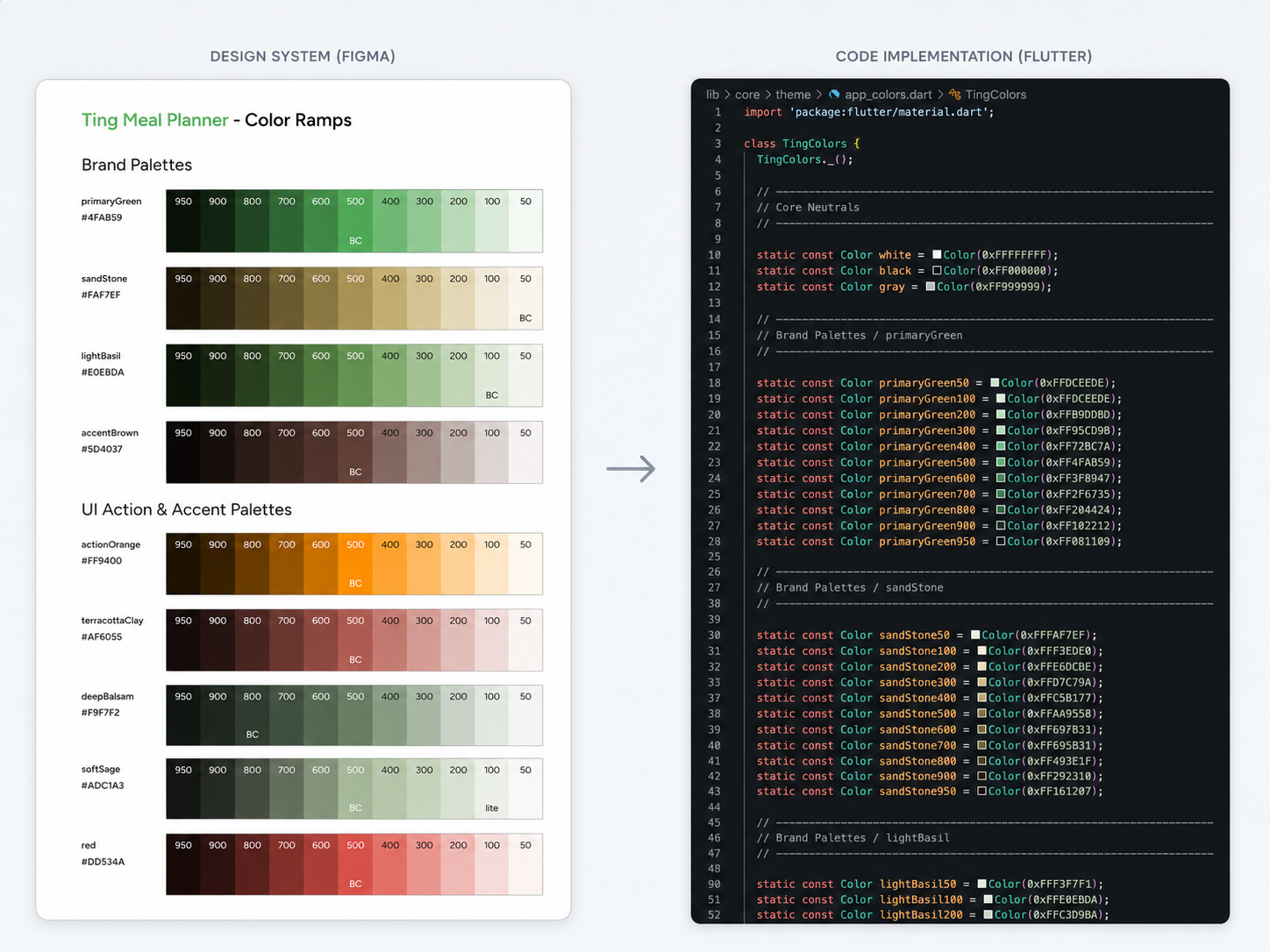
In Figma, I created a design system that aligned closely with the Flutter code structure. I used naming conventions that matched my Dart files, helping bridge the gap between design tokens and implementation.
I am also upgrading the Figma file from basic styles to Variables, using a brand color collection and semantic alias collection. This makes the system easier to scale and closer to how production design systems work.
MVP Beta
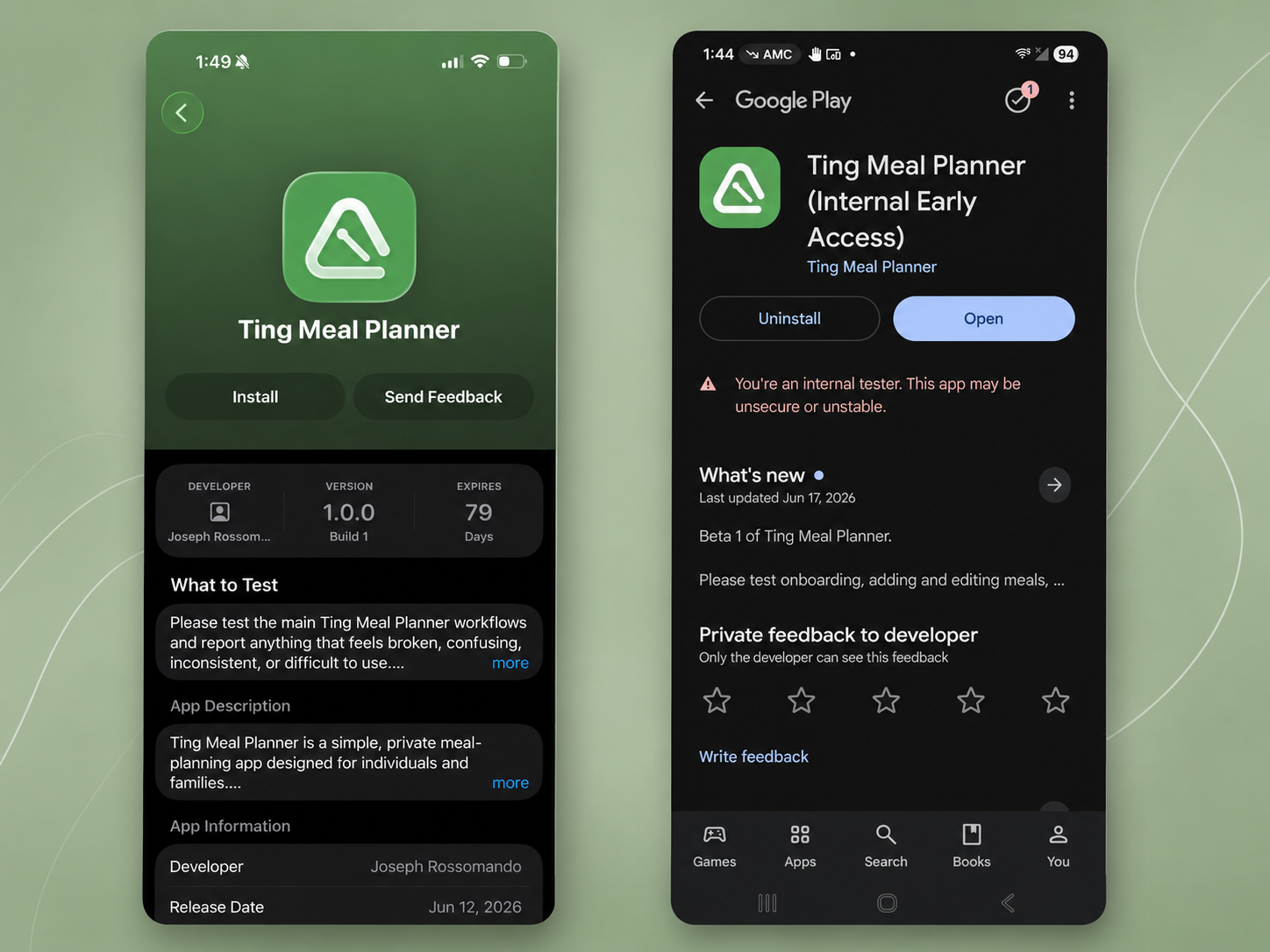
Ting Meal Planner has been built and compiled for external beta testing through Apple TestFlight, and with Android closed testing through Google Play.
I also set up Firebase and Crashlytics to monitor stability, technical issues, and app performance during testing.
Outcome
Ting Meal Planner grew from a personal spreadsheet into a working mobile MVP built with Flutter. It gave me hands on experience owning a product from idea to design, code, beta preparation, and analytics setup.
This project pushed me beyond UX/UI design alone. It helped me better understand the relationship between design systems, front end development, mobile usability, and real product tradeoffs.