

Document Data Mapping
Role: Lead UX/UI Designer
Company: Allvue Systems
Context
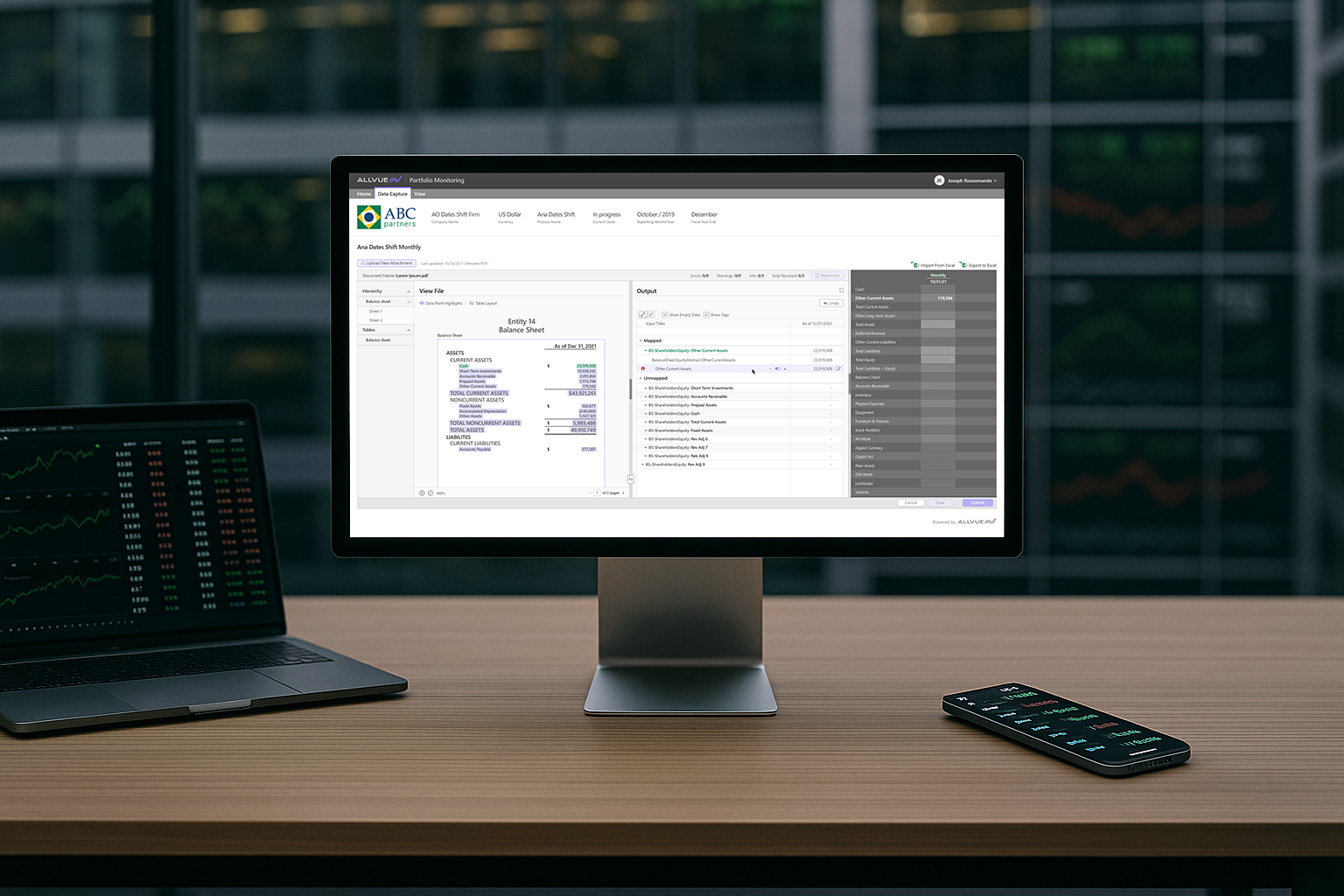
Allvue integrated with a third-party document processing platform to allow users to upload files such as PDFs, spreadsheets, and documents and bring that data into the platform. While the integration provided the core functionality, the original workflow was confusing and fragmented.
I redesigned the experience into a clear, step-by-step workflow that fit seamlessly into the broader financial platform. The improvements were so effective that the third-party provider later adopted parts of the workflow into their own product.
My Contribution
As the Lead UX/UI Designer, I restructured the workflow into a clear, logical process that made document based data mapping easier to understand and manage.
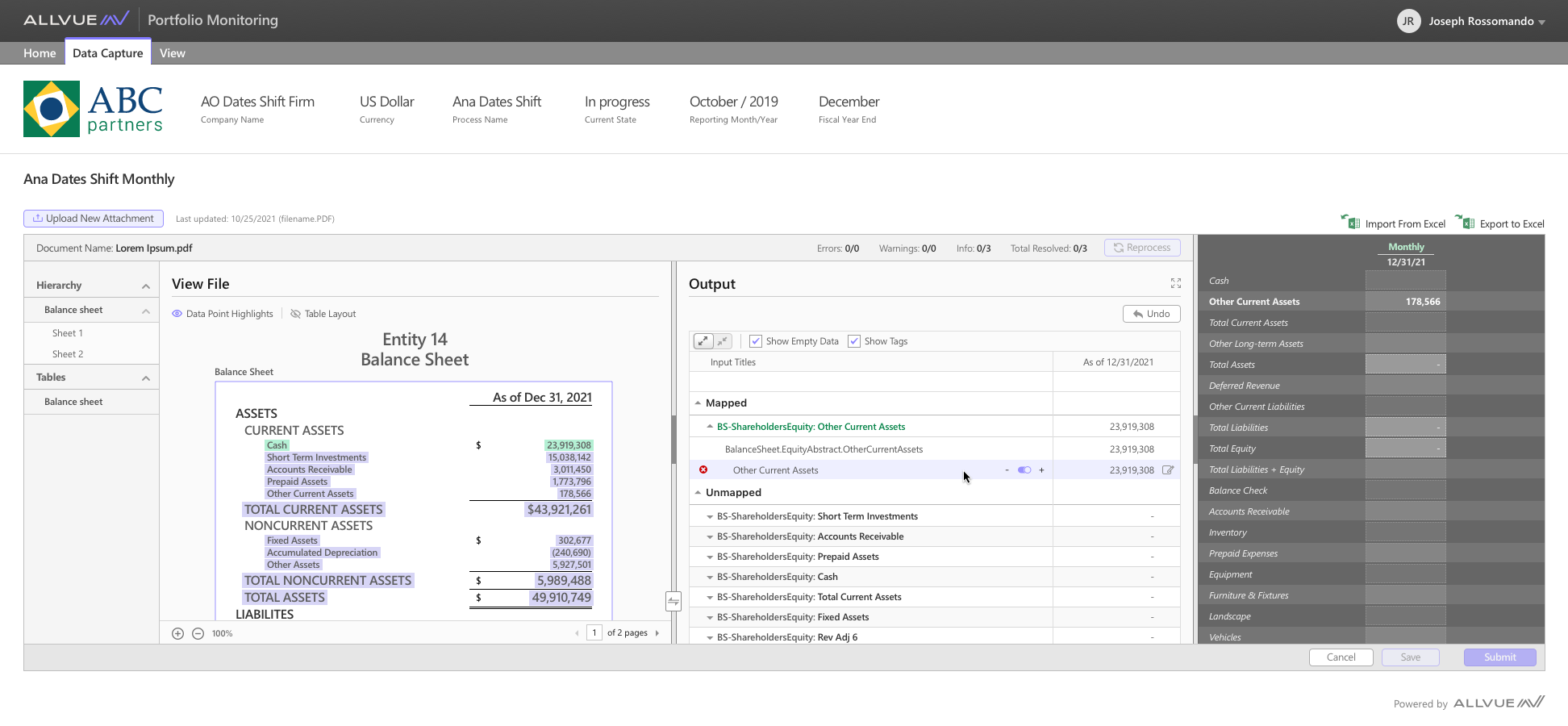
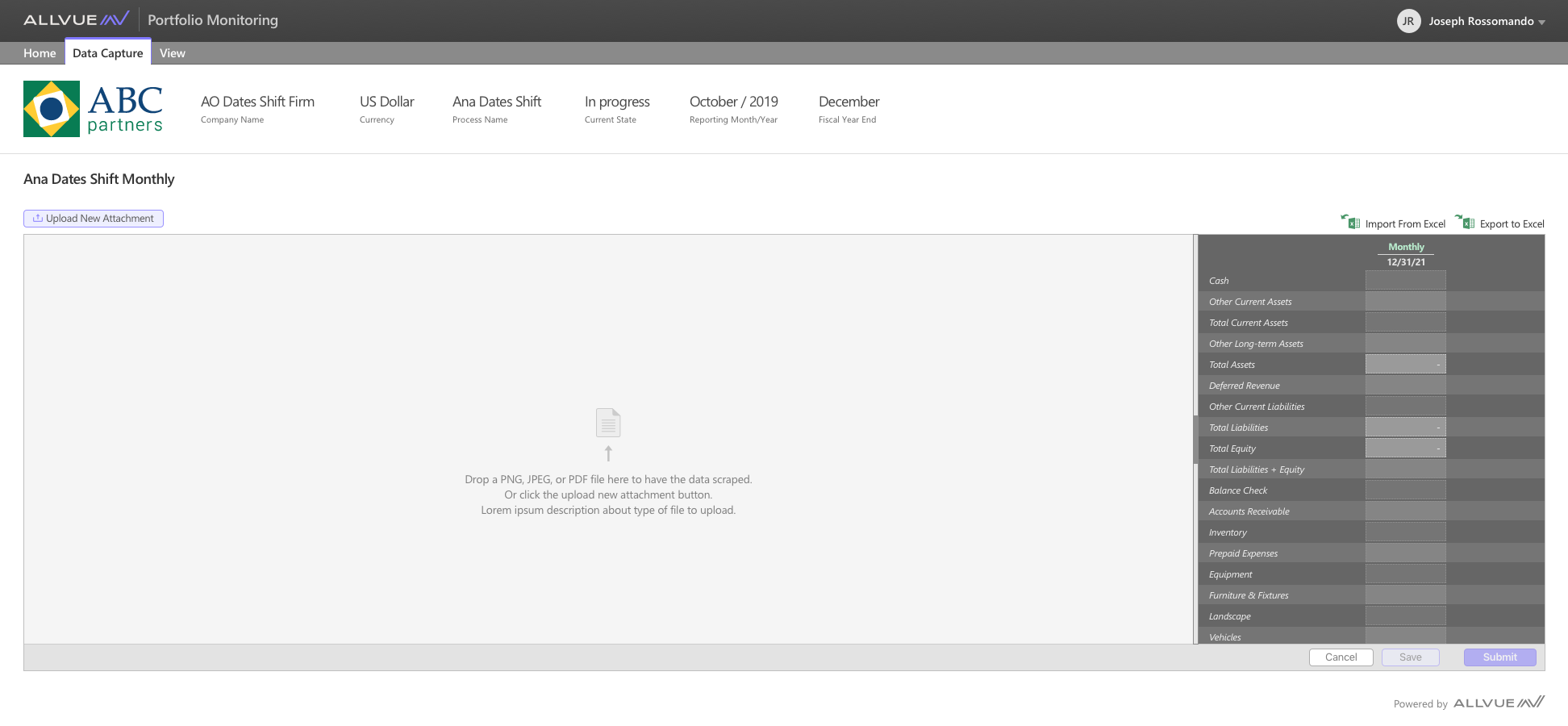
- Reorganized Layout: Moved the system table (the end state) to the far right, clarifying the process flow from left to right.
- Step 1 – Document Upload: Designed an upload area that surfaced the uploaded file first.
- Step 2 – Review Extracted Data: The integrated processing system highlights extracted data points for mapping.
- Step 3 – Output Mapping: Positioned the mapping interface next, allowing users to connect extracted document fields to system table fields.
- Step 4 – Review and Reprocess: Introduced a Reprocess action that applied the mapped data to the table, giving users a clear preview before saving or submitting.
- Step 5 – Save or Submit: Enabled users to either save the table so they can continue working on it later or, submit it for approval.

Outcome
The redesigned workflow brought clarity and structure to a previously confusing process. Users could now upload, map, and bring their own data into the platform with much less friction, reducing manual entry and improving efficiency. The workflow improvements were later adopted by the integration partner, extending the impact beyond Allvue’s platform.