

Cap Structure Management
Role: Lead UX/UI Designer
Company: Allvue Systems
Context
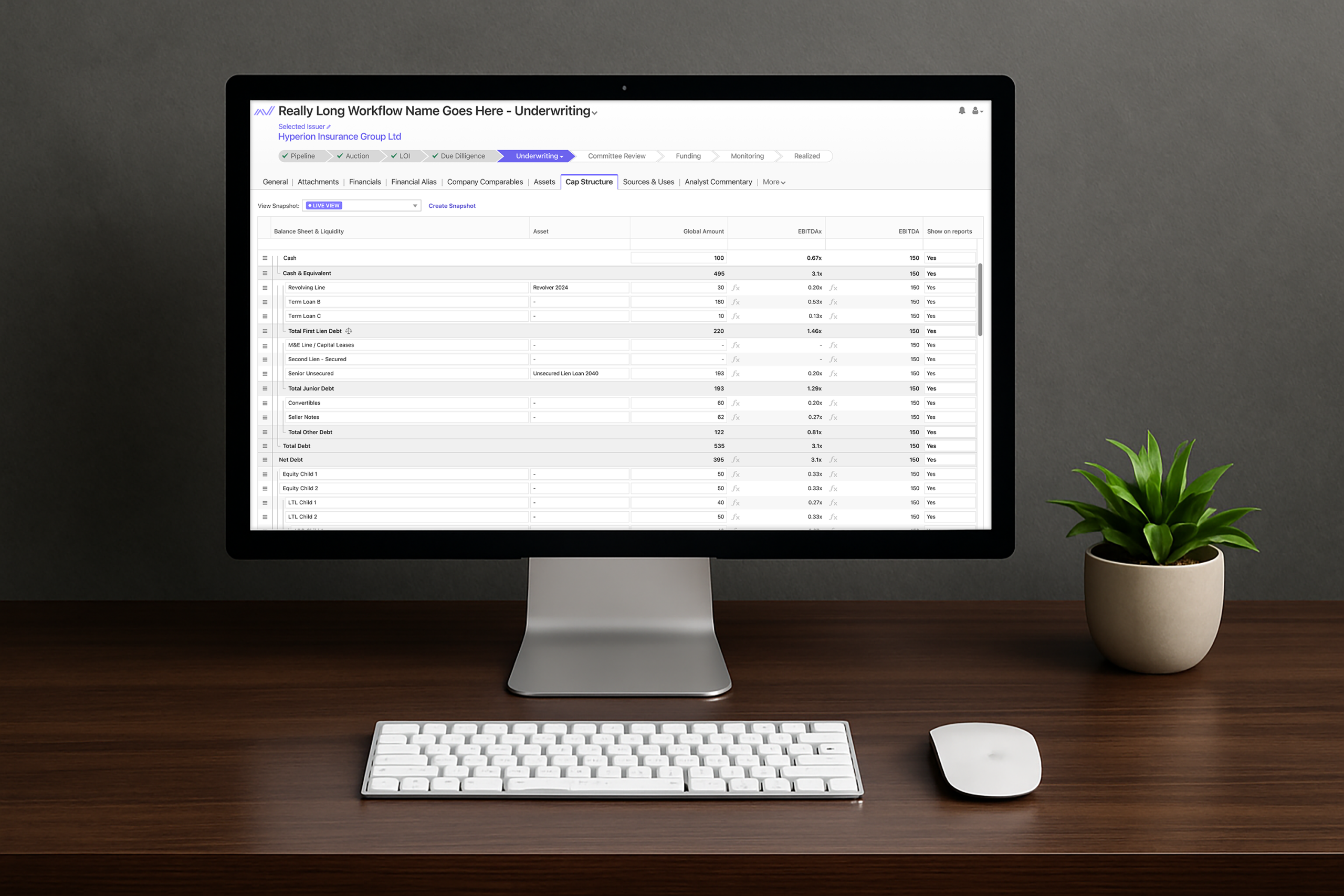
In Allvue’s financial platform, capital structure data was not yet available in the web experience. Users needed a way to configure and manage complex, nested financial data directly in the platform without relying on technical support or specialized system knowledge. I was provided with an external example of how this type of data could be structured and used it as a starting point to design a more intuitive, web-based experience. Users also needed the ability to capture snapshots so they could compare historical states against live data.


My Contribution
As the UX/UI Designer, I focused on making the panel intuitive, scannable, and adaptable:
- Introduced visual grouping lines to clearly show nested financial data relationships, making complex hierarchies easier to scan and understand.
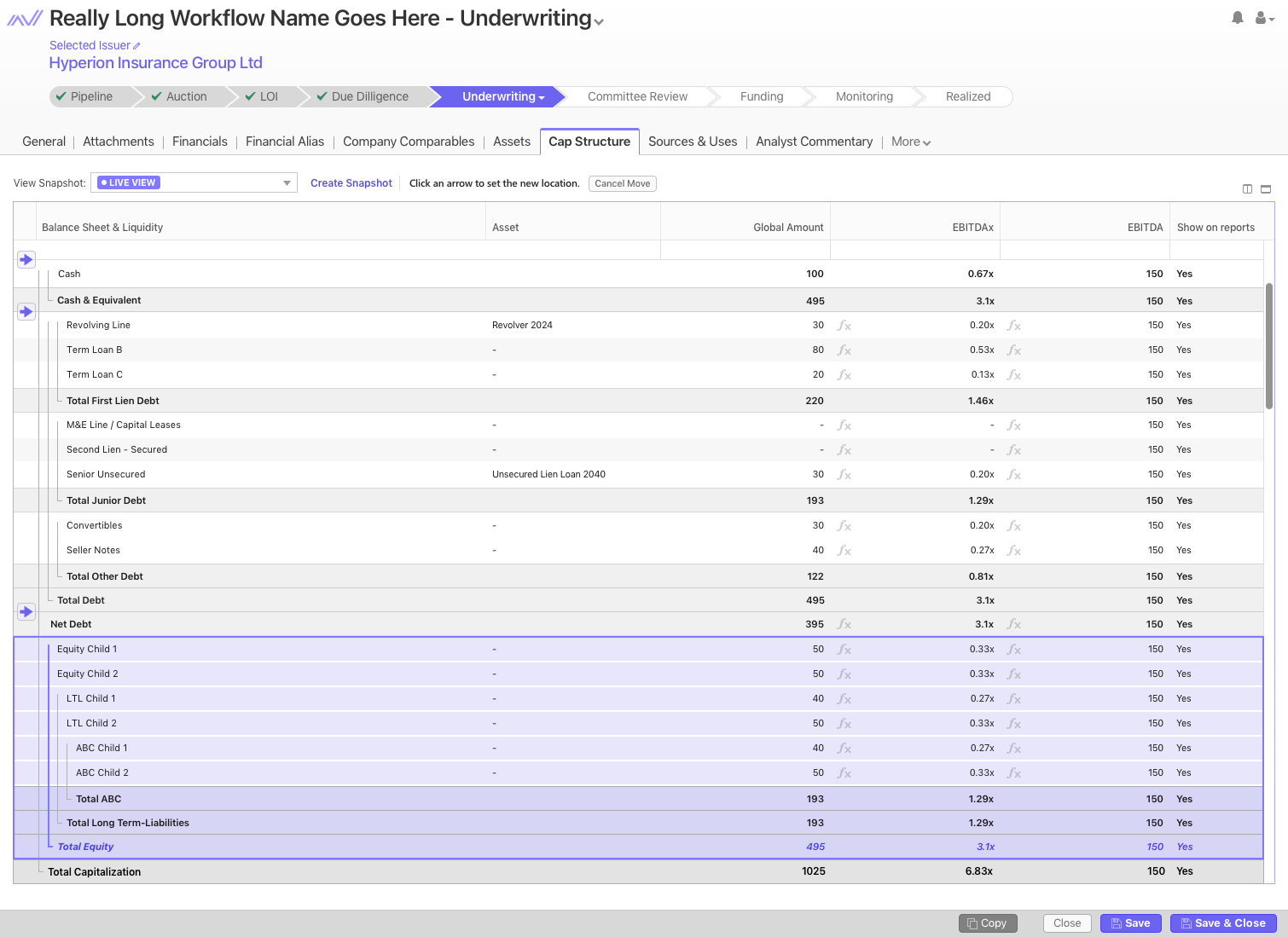
- Designed an interaction flow for reorganizing data within the hierarchy. Users could open a contextual menu, choose to move an item or group, and enter a guided move state where visual arrow indicators showed all valid placement options. Users could confirm the move or cancel without making changes.
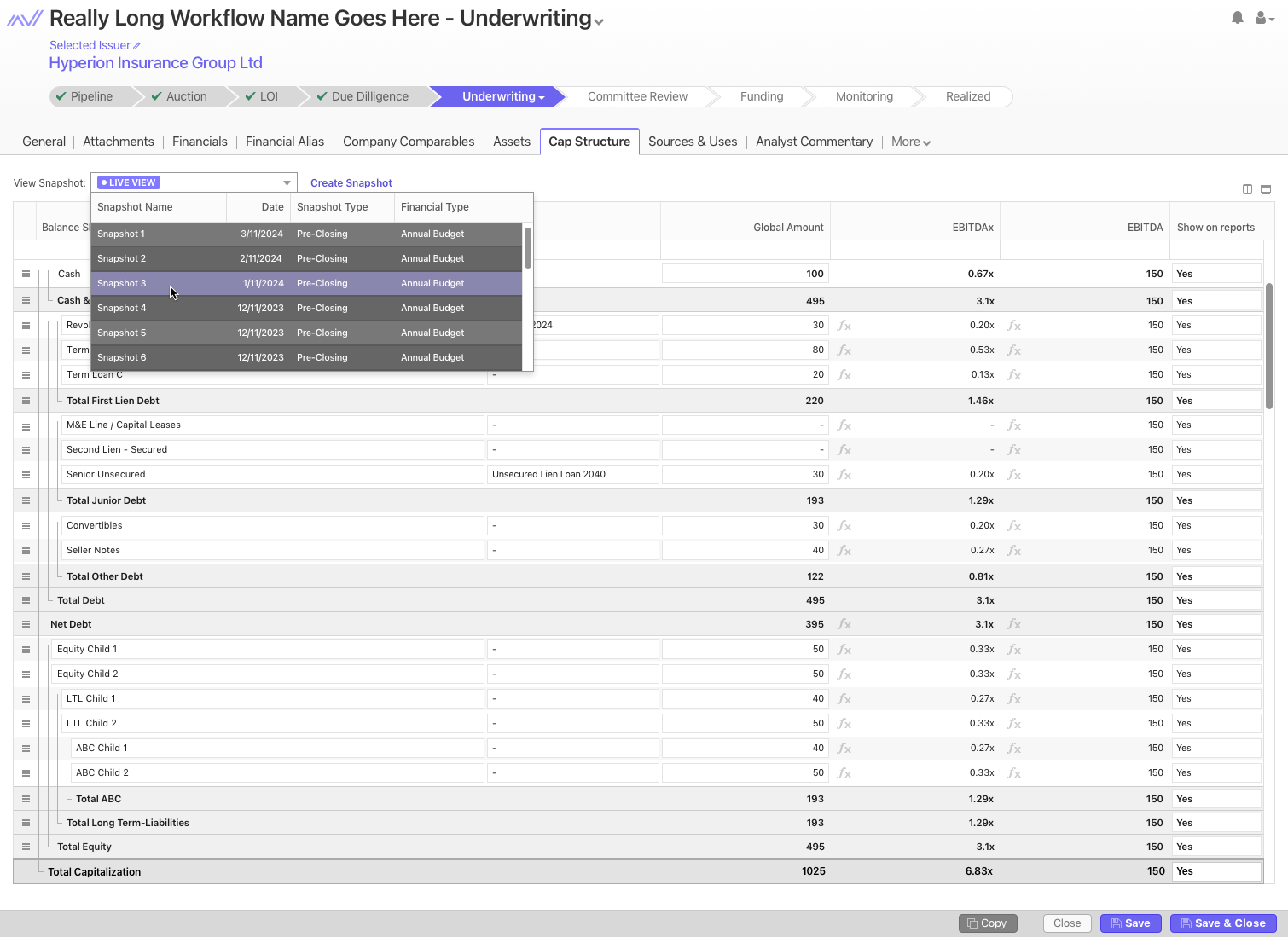
- Designed a snapshot feature that let users capture the current state of the panel, switch between historical versions and live data, and track changes over time.
Outcome
The redesign gave users more control over managing capital structure data with a minimal learning curve. They could configure layouts, reorganize nested data, and compare historical changes independently, reducing reliance on technical support and improving efficiency.