

Ross AI: Living Resume
Role: Product Owner, UX/UI Designer, Prompt Designer, WordPress Plugin Developer
Project Type: Personal Project, Portfolio AI Experience
Platform: WordPress
Technology: Google AI Studio, JSON, custom WordPress plugin
Context
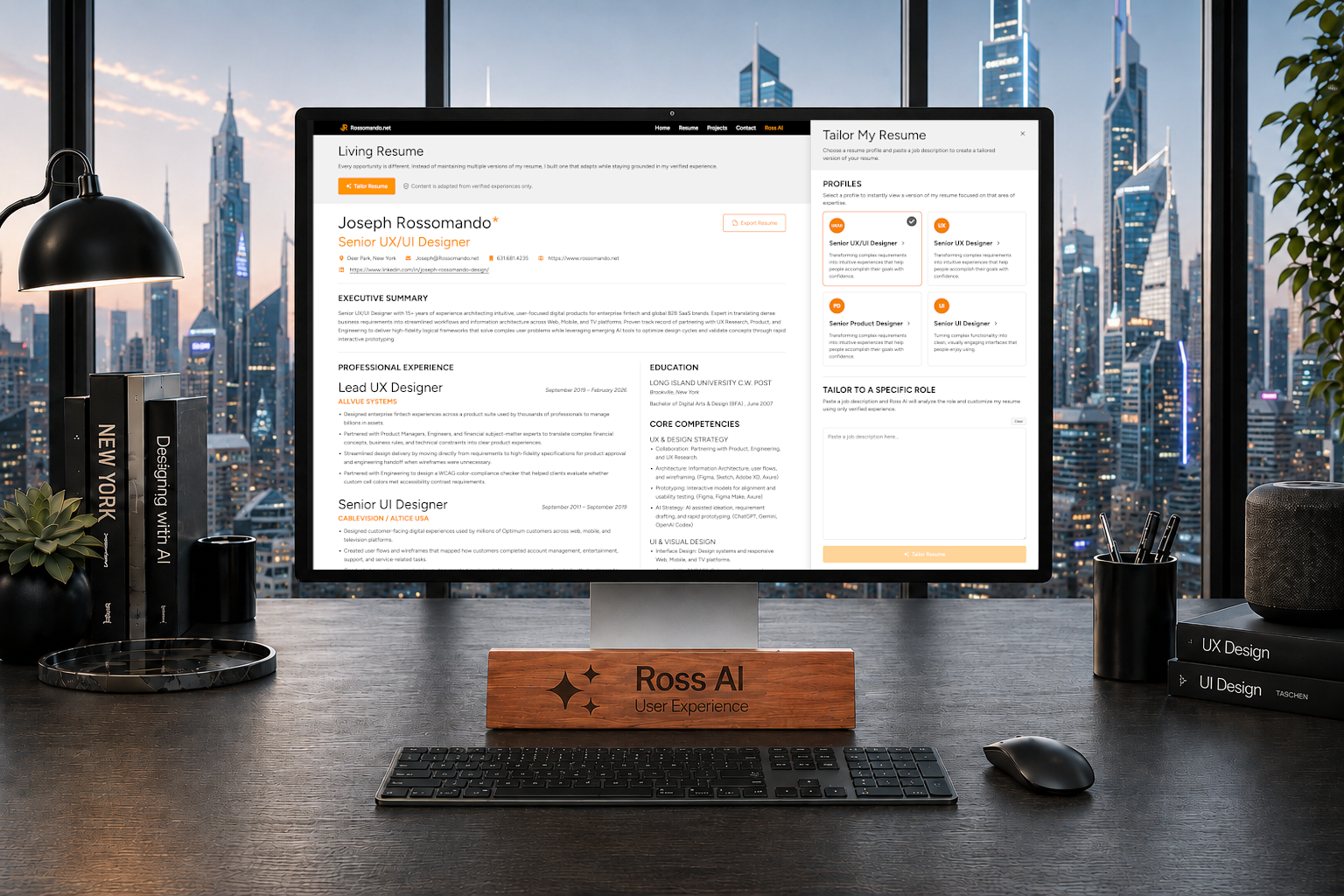
Ross AI: Living Resume is an AI-powered resume experience I built into my portfolio site. It allows visitors to view different versions of my resume and tailor the content around a specific job description using only verified experience from my career data.
The feature grew out of my job search. I kept seeing advice that candidates should customize their resume for each role to improve their chances of getting interviews. That made sense, but after applying to hundreds of jobs, manually rewriting my resume for every posting was not realistic.
I wanted to explore whether AI could make that process faster, more accurate, and more interactive without inventing experience or exaggerating my qualifications.
The Problem
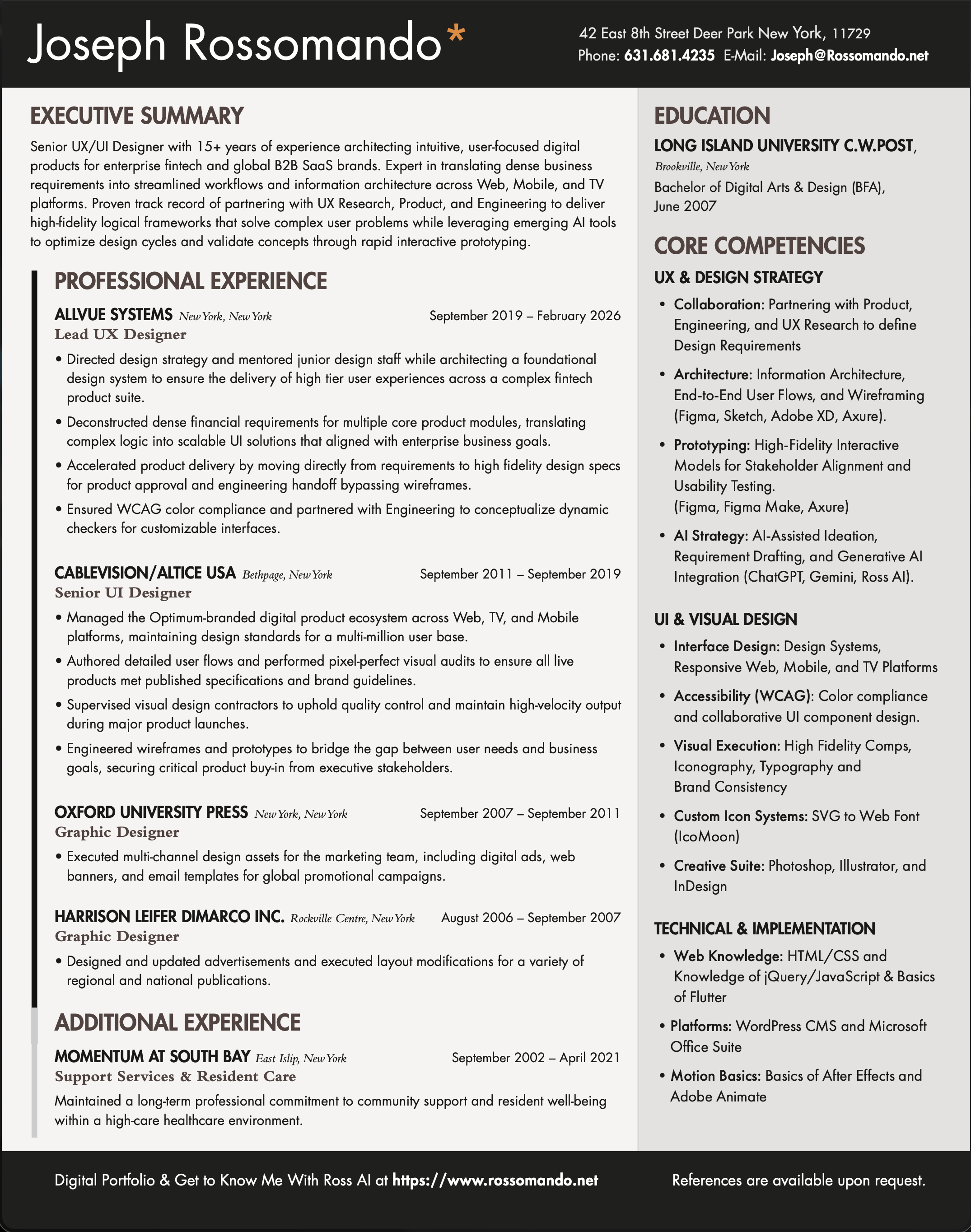
A traditional resume is fixed. It can only show a small sample of a person’s experience, even when their background includes much more than what fits on one page.
My original resume had only a few bullets for each role:
- 4 bullets for Allvue
- 4 bullets for Altice USA
- 1 bullet for Oxford
- 1 bullet for Harrison Leifer DiMarco
That was enough for a standard resume, but it did not capture the full range of my UX, UI, product design, design system, and collaboration experience.
The challenge was creating a resume experience that could adapt to different roles while staying honest, readable, and grounded in verified information.
My Role
I owned the full product experience, including the UX/UI design, content structure, JSON data architecture, prompt behavior, WordPress plugin development, and integration into my portfolio site.
This project was also an extension of the Ross AI system. I reused the same right-side panel pattern from the Ross AI chat experience so visitors would understand that both tools were part of the same AI layer on my site.


Structured Resume Data
The foundation of the Living Resume is a JSON file containing a much deeper set of verified career bullets.
I expanded my work history into a structured data source with:
- 51 bullets for Allvue
- 28 bullets for Altice USA
- 6 bullets for Oxford
- 5 bullets for Harrison Leifer DiMarco
This gave Ross AI more accurate source material to work from. Instead of asking the AI to generate resume content from scratch, I gave it a verified pool of experience that it could select from, reorganize, and adapt based on the role.
That distinction was important. The goal was not to let AI invent a better version of my resume. The goal was to help surface the most relevant parts of my actual experience.
Standard Resume Profiles
From the expanded JSON data, I created four standard resume profiles:
- Senior UX/UI Designer
- Senior UX Designer
- Senior Product Designer
- Senior UI Designer
When visitors land on the resume page, they see the default Senior UX/UI Designer resume. From there, they can open the tailoring panel and choose a different profile depending on what they want to review.
This makes the resume feel more flexible without requiring the user to start from a blank prompt.


Tailoring by Job Description
I also added a job description input. A visitor can paste in a role description, and Ross AI will update the resume content directly on the page.
The system uses the job description to identify which verified experience bullets are most relevant. It then adjusts the resume around that role while staying within the limits of my actual background.
When the resume has been tailored, a tag appears that says:
“Tailored with Ross AI using verified experience.”
I added this confirmation because some resume changes can be subtle. The tag gives users clear feedback that the AI action worked and reinforces that the content is based on verified experience.
Qualification Handling
One of the most important parts of the feature is knowing when not to tailor the resume.
If a user enters a job description that does not match my experience or is outside the type of role I am looking for, Ross AI can explain that instead of forcing a misleading match.
This was an important UX and ethics decision. A resume tool should not make the candidate look qualified for something they are not actually qualified for. It should help organize truthful information more effectively.


Interface Design
The Living Resume uses a right-side flyout panel, similar to the Ross AI chat panel. I wanted both experiences to feel connected and recognizable as AI-powered tools within the portfolio.
The panel allows users to:
- Choose a standard resume profile
- Paste in a job description
- Tailor the resume content
- See confirmation when the resume has been updated
- Understand when a job description is not a good match
The resume page updates in place, so users can immediately see the content change without leaving the page. Outside of the panel, the page also includes an Export Resume action so users can download the currently displayed resume as a PDF.
Key Decisions
- Created a structured JSON resume system with expanded verified career bullets
- Built four standard resume profiles for common role types
- Added job description-based tailoring directly on the resume page
- Limited the system to verified experience instead of allowing invented content
- Added a visible confirmation tag so users know when the resume has been tailored
- Included qualification handling for roles that do not match my background
- Reused the right-side AI panel pattern to connect the Living Resume with Ross AI
- Designed the experience to support my job search while also making the portfolio more interactive

Outcome
Ross AI: Living Resume turned my resume from a static document into an interactive, AI-assisted experience. Visitors can review different role-focused versions of my resume or tailor the content around a job description using verified experience.
Because the feature is still new, I cannot say yet whether it will improve my job search results. But it has already been valuable as a learning experience.
It helped me better understand how AI can support content personalization, job search workflows, structured career data, and interactive portfolio experiences. It also gave me a practical way to explore how AI can make a website feel more useful without sacrificing accuracy or trust.