

Ross AI: Portfolio Assistant
Role: Product Owner, UX/UI Designer, Prompt Designer, WordPress Plugin Developer
Project Type: Personal Project, Portfolio AI Experience
Platform: WordPress
Technology: Google AI Studio, JSON, custom WordPress plugin
Context
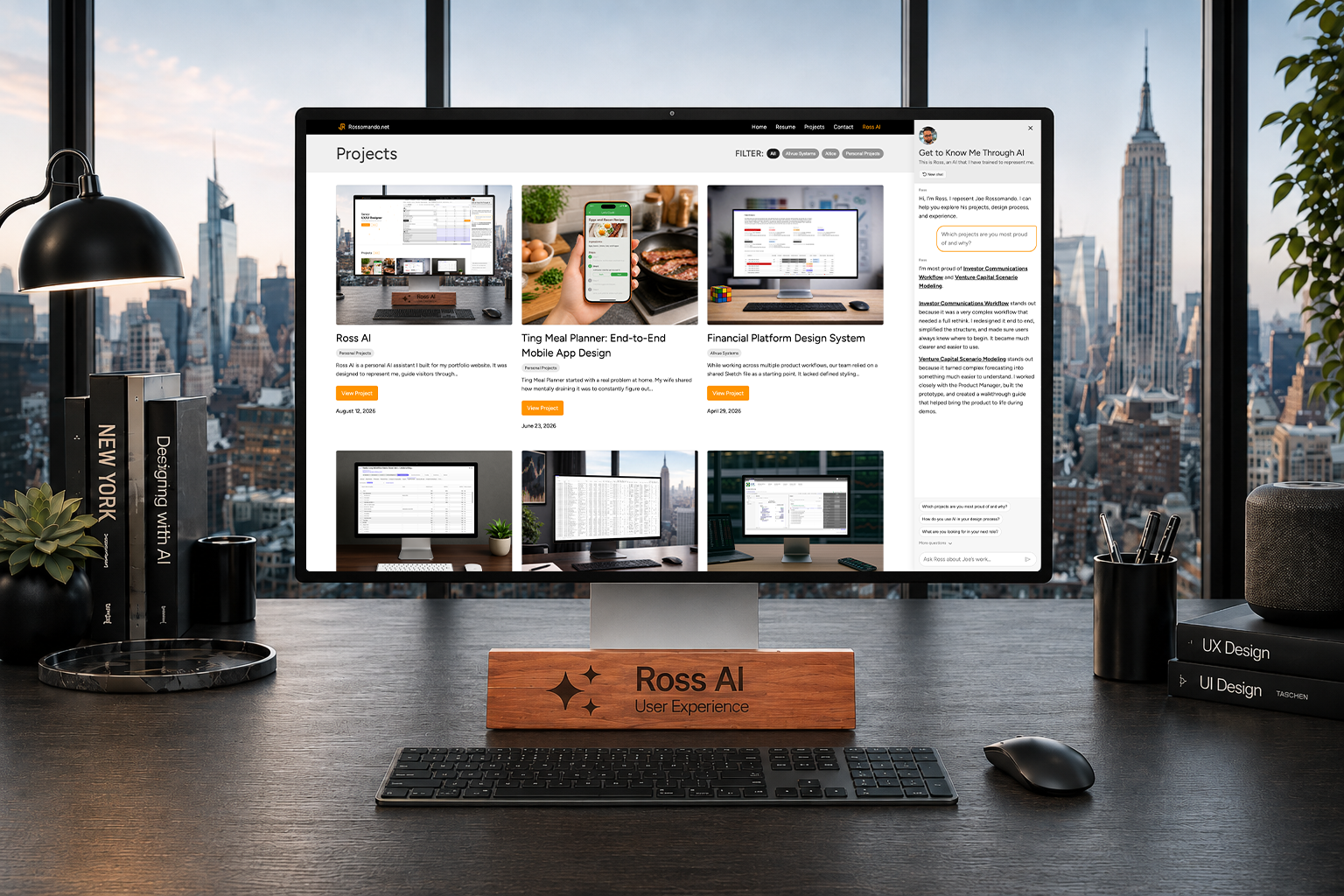
Ross AI is a personal AI assistant I built for my portfolio website. I created it to help visitors explore my work, ask questions about my experience, and better understand how I think as a UX/UI designer.
I wanted my portfolio to be more than a static collection of case studies. Recruiters, hiring managers, and potential collaborators often look for different things, so I wanted to create an experience where they could ask what mattered to them directly.
I also built Ross AI because AI is becoming a major part of product design. I did not want to only understand AI at a high level. I wanted hands-on experience designing, structuring, and building an AI-powered experience into a real website.

The Problem
Most portfolio websites are passive. Visitors can scroll through projects, read a resume, and look at visuals, but they still have to connect the dots themselves.
I wanted to make my site more interactive by giving visitors a guided way to ask questions like:
- Which projects are most relevant to product design?
- What work are you most proud of?
- How do you approach UX?
- What experience do you have with AI?
- Which projects should I look at first?
The challenge was making the AI feel useful and personal without allowing it to invent information, sound too generic, or answer outside the scope of my work.
My Role
This was a full ownership project. I handled the product thinking, UX/UI design, prompt design, content structure, JSON data architecture, WordPress plugin development, testing, and iteration.
The project helped me understand that AI experiences are shaped by more than the chat interface. The quality of the experience depends on the data structure, system prompt, response rules, fallback logic, and how clearly the UI teaches users what the AI can do.


How Ross AI Works
Although Ross AI looks like a chatbot, the experience is built around a structured system.
Under the hood, it uses:
- A JSON knowledge base with verified information about my projects, skills, work history, and experience
- A system prompt that controls tone, behavior, boundaries, and response style
- A custom WordPress plugin that connects the front end experience to Google Gemini
- Fallback logic to improve reliability if the primary AI model fails
The JSON file acts as the source of truth. It includes project names, summaries, problems, outcomes, tags, recommendation logic, and proud project indicators.
The system prompt controls how Ross AI should respond. It tells the AI to stay focused on my work, speak conversationally, avoid overly formal language, and answer in a way that feels closer to how I would actually talk about my experience.
Prompt Design as UX
One of the biggest lessons from this project was how much the system prompt affects the user experience.
Before I refined the prompt, the AI would answer in a way that felt too broad and overly polished. The responses were technically correct, but they did not feel like me. It sounded more like a textbook than someone representing my portfolio.
I rewrote the prompt to give Ross AI clearer behavior rules, including:
- How to introduce itself
- How to answer questions about my work
- How to recommend projects
- How to talk about proud projects
- How to handle contact information
- How to stay within scope
- How to keep responses natural and concise
This helped me see prompt design as a UX problem. The designer has to think through how the AI should guide users, what information it should use, what it should avoid, and how it should recover when it cannot answer something.


Interface Design
I added a dedicated Ross AI button to the top navigation of my portfolio site. When selected, a chat panel opens from the right side of the screen.
The panel includes:
- A short introduction explaining what Ross AI is
- A text field for asking questions
- Suggested question pills to help users get started
- Session-based chat memory while the browser tab remains open
- Project recommendations that can direct users to relevant case studies
The suggestion pills were important because they reduce the blank-state problem. Instead of expecting users to know what to ask, the interface gives them examples and teaches them what Ross AI can help with.
Session-Based Memory
Ross AI remembers the conversation during the current tab session. If a user closes the tab and comes back later, the conversation resets.
That was an intentional product decision. I did not want users to create accounts or introduce unnecessary long-term storage. For this experience, short-term memory was enough because visitors are usually exploring the portfolio within a single session.
This kept the experience lightweight while still allowing follow-up questions to feel more natural.


Reliability and Fallback Handling
A major product lesson came from a failure state.
At one point, a specific Gemini model version stopped working correctly, which caused Ross AI to fail. Since this feature lives on my portfolio site, a broken AI experience could create a poor impression. If my own UX portfolio delivered a bad user experience, it would hurt the credibility of the work I was trying to show.
To improve reliability, I upgraded the primary model and added fallback handling. If the primary Gemini model fails, Ross AI attempts additional Gemini models before showing an unavailable message.
This made the experience more stable and helped me think about reliability as part of AI UX, not just a technical concern.
Key Decisions
- Built Ross AI as a custom WordPress plugin instead of relying on a generic embedded chatbot
- Used JSON as a structured knowledge base for verified portfolio and career information
- Created a system prompt to control tone, behavior, scope, and response style
- Added suggested question pills to help visitors understand what they can ask
- Used session-based memory instead of account-based saved conversations
- Added model fallback logic to improve reliability
- Kept Ross AI focused on my work, projects, design process, and contact information
- Designed the experience to feel conversational without sounding overly formal or generic

Outcome
Ross AI turned my portfolio from a static website into a more interactive experience. Visitors can ask questions, explore my projects, understand my design process, and get guided recommendations based on what they are looking for.
The project also gave me practical experience designing and building an AI-powered product feature. I learned how structured data, prompt design, UI patterns, model behavior, and fallback handling all work together to shape the user experience.
More importantly, it helped me better understand the role UX designers can play in AI products: structuring information, shaping behavior, designing guardrails, and making the experience feel useful, accurate, and human.